
Offline Multi-Bank Analysis
Understand your spending across all banks without handing over your data.
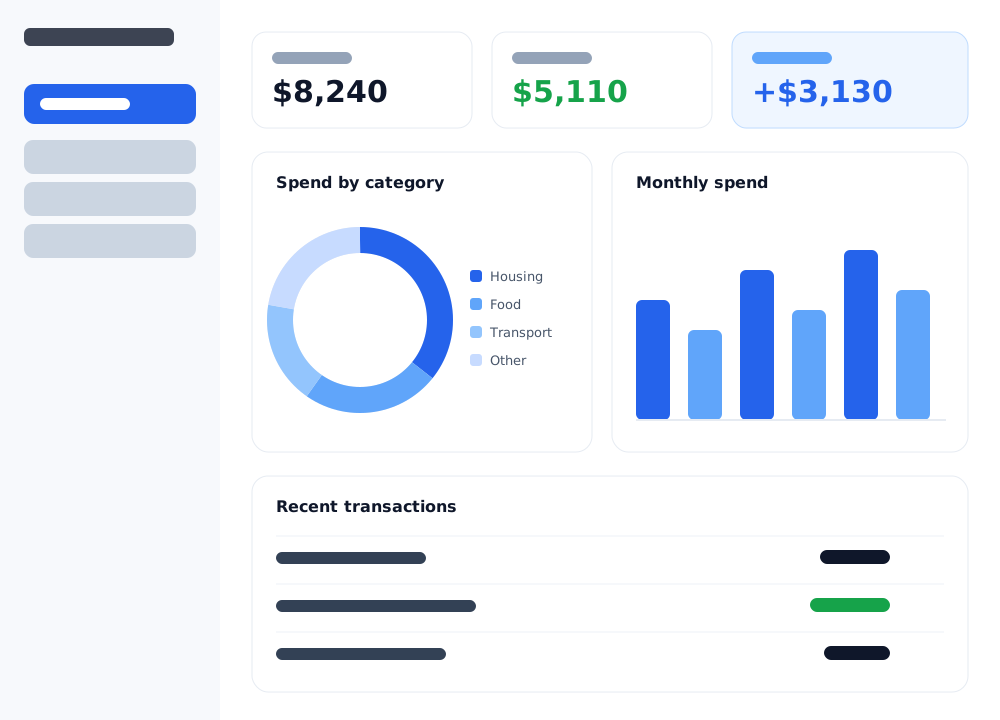
Your financial data never leaves your computer.
Most budgeting apps ask you to connect your bank and upload everything to their cloud. Bank Analysis does the opposite: you import your own QFX/CSV statements, and every number is crunched and stored locally — encrypted on your device.
Runs 100% offline
Analyze everything on your own machine. No internet connection is needed to use the app.
No cloud, no accounts
Nothing is uploaded and there's no account to create. There is no server that ever sees your data.
No bank logins or Plaid
You import statement files yourself. The app never asks for bank passwords or connects to your bank.
Encrypted & private
Your transactions are stored in an encrypted local vault. Zero tracking, zero telemetry, zero data collection.
See spending and income across every account.
Download the statement files your bank already offers and import them. Bank Analysis brings multiple banks together into one clear picture — no logins, no linking, no waiting.
Every bank in one place
Import QFX/CSV statements from Chase, Bank of America, Capital One and more — all your accounts on one dashboard.
Spend, income & net
Switch between spending, income, and net views to see exactly where your money goes and where it comes from.
Category breakdowns
Automatic categorization with custom rules shows what you spend on, by category, across every account.
Monthly trends
See how spending and income move month over month, so patterns and changes are easy to spot.
Multiple accounts & vaults
Keep cards, checking, and savings organized — and separate different sets of finances into vaults.
Your rules, your data
Recategorize anything by hand; the app remembers your rules. It's your analysis, computed on your machine.
Find every subscription you're paying for.
Bank Analysis automatically detects recurring charges across your accounts — the streaming services, memberships, and auto-renewals that quietly add up. See what you're paying every month, all in one list, so you can cancel what you don't use.
A one-time $29.99 vs. yearly subscriptions.
The popular budgeting apps charge you every year and require connecting your bank to their cloud. Bank Analysis is a single purchase that runs offline and keeps your data on your device.
| Bank Analysis | Monarch Money | YNAB | Copilot | |
|---|---|---|---|---|
| Price | $29.99 once | $99.99/year | $109/year | $95/year |
| Billing | One-time | Every year | Every year | Every year |
| Works offline | ✓ Yes | — No | — No | — No |
| Requires bank login | No — you import files | Yes | Yes | Yes |
| Platforms | Mac, Windows & Linux | Web / iOS / Android | Web / iOS / Android | Apple only |
Competitor prices are approximate and may change — verify current pricing before relying on it. (Editable in lib/config.ts.)
Buy once. Own it. Stay private.
- The full Bank Analysis app for Mac, Windows & Linux
- Unlimited banks, accounts & file imports
- Full transaction history & category analysis
- Automatic subscription detection
- Multiple vaults to separate your finances
- One-time purchase — no subscription, ever
Secure checkout via Lemon Squeezy. Instant download.
Frequently asked questions
Is it really offline?
Yes. Bank Analysis runs entirely on your computer and never uploads your financial data. You import statement files you already have, and everything is analyzed and stored locally in an encrypted vault. (Activating a Pro license checks your purchase online once — sending only your license key, never any financial data — after which the app works fully offline.)
Which banks are supported?
Any bank or card that lets you export a QFX/OFX or CSV statement — which is most of them, including Chase, Bank of America, and Capital One. You download the file from your bank and import it; there are no bank logins or third-party connections.
Is there a subscription?
No. Bank Analysis is a one-time purchase of $29.99. There are no recurring fees and no accounts to sign up for.
Do you offer refunds?
Yes — if it isn't the right fit, email us within 14 days of purchase for a full refund. (Edit this to match your real refund policy.)
Which operating systems does it run on?
Bank Analysis is a desktop app for Mac, Windows & Linux.
Do you see or store my data?
Never. There is no cloud, no analytics, and no data collection. Your transactions stay on your machine, encrypted on disk. We couldn't see your data even if we wanted to.